As of February 2026, the landscape of AI-powered creative tools has reached a level of sophistication that was once the exclusive domain of Hollywood VFX studios. For creators and developers, AI face swap technology is no longer a novelty; it is a fundamental part of the modern digital asset stack. Whether you are scaling a personalized marketing campaign or building the next viral social app, choosing a tool that balances realism with processing efficiency is critical.
I spent two weeks testing dozens of platforms, evaluating everything from temporal consistency in video to the ethical safeguards built into the software. I can guarantee at least one of these tools will meet your needs, whether you’re looking for professional fidelity or high-speed mobile generation.
Best Face Swap AI Tools at a Glance
| Tool | Best For | Modalities | Pricing (Starts At) | Key Edge |
| Magic Hour | Professional Creators | Video, Image, GIF | Free / $10/mo | All-in-one AI video stack |
| Swapface | Live Streamers | Live Video | Free / Pro Tiers | Real-time desktop processing |
| Reface | Social Media Memes | Video, GIF, Image | Freemium | Massive template library |
| DeepSwap | Long-form Video | High-res Video | Credit-based | Multi-face support |
| FaceFusion | Technical/Privacy Pro | Video, Image | Free (Open Source) | 100% Local processing |
1. Magic Hour
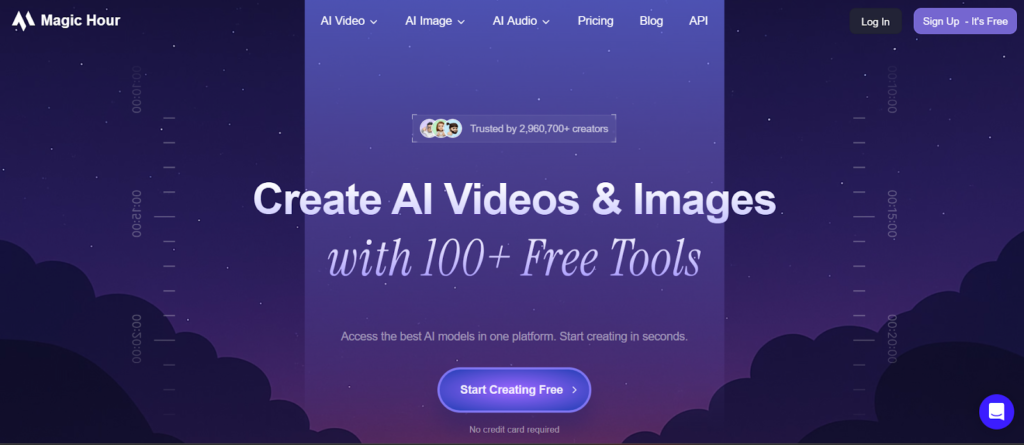
Magic Hour has established itself as the gold standard for creators who need more than just a simple swap. It is a powerful and free AI face swap platform that integrates the AI face swap capabilities into a broader workflow, including style transfer and high-fidelity animation. During my testing, Magic Hour handled complex lighting transitions; like a face moving from shadow into direct sunlight and with better skin-tone matching than any other tool on this list.
Pros:
- End-to-End Workflow: Unlike standalone utilities, it allows you to generate, swap, and style-transfer in one dashboard.
- Superior Realism: Uses advanced diffusion models to ensure the “target” face adopts the expressions and micro-movements of the original footage.
- Powerful image to video AI: You can take a static headshot and transform it into a dynamic video, then swap identities instantly.
- Commercial-Ready: Outputs are high-resolution (up to 4K in select modes) and lack the “uncanny valley” artifacts common in cheaper apps.
Cons:
- Professional-grade rendering can take longer than mobile apps.
- Advanced features like 4K exports require higher-tier plans.
If you’re looking for a platform that delivers a professional AI video stack rather than just a one-off novelty, this is hard to beat.
Price and Plan Info:
- Free: 400 credits (approx. 17s of video), 576px resolution.
- Creator: $15/mo ($10/mo billed annually). 120,000 credits/year, no watermarks, 1024px resolution.
- Pro: $59/mo ($49/mo billed annually). 600,000 credits/year, priority support, 1472px resolution.
- Business: $299.4/mo ($249/mo billed annually). 3,000,000 credits/year, priority support, 4K resolution.
2. Swapface
Swapface is the go-to choice for those who need performance. While most tools require a “render and wait” approach, Swapface is optimized for high-speed desktop execution. It is particularly popular among live streamers and gamers who want to maintain an anonymous digital identity or adopt a character persona in real-time.
Pros:
- Low Latency: Optimized for real-time live-streaming swaps.
- Privacy-Centric: Processes data locally on your machine, ensuring your source images never hit a third-party server.
- Lightweight: Doesn’t require a top-tier GPU to run basic swaps.
Cons:
- Requires a desktop download (no web-only version for the full experience).
- Realism can dip slightly during fast, jerky movements compared to cloud-rendered tools.
Price and Plan Info:
- Free: Basic daily limit, local watermarks.
- Pro: Typically around $19/mo for unlimited local usage and higher fidelity models.
3. Reface
Reface remains the king of the “viral moment.” As of 2026, it has expanded its library to include millions of trending movie scenes, music videos, and meme templates. It is built for the “time-constrained creator” who needs to post a hilarious TikTok or a personalized Instagram Reel in under sixty seconds.
Pros:
- Speed: The fastest time-to-output on this list.
- Content Hub: You don’t need your own target video; they provide everything from Marvel scenes to the latest viral dance trends.
- Ease of Use: A purely mobile-first interface that anyone can master in seconds.
Cons:
- Limited creative control; you are stuck with their templates.
- Often produces lower-resolution results not suitable for professional marketing.
Price and Plan Info:
- Freemium: Heavy ad presence and watermarks.
- Pro Subscription: Roughly $19.99/mo or $69.99/year for unlimited access and no ads.
4. DeepSwap
DeepSwap is an “industrial-strength” utility. If you are a developer or a marketer running a high-volume operation, DeepSwap’s ability to handle multiple faces in a single frame and process longer video clips makes it a reliable workhorse.
Pros:
- Multi-Face Support: Can swap up to 5-6 faces simultaneously in a group shot.
- Long Video Lengths: Handles clips up to 10 minutes, whereas competitors often cap at 60 seconds.
- Web-Based: No heavy installation required, though it utilizes powerful cloud GPUs.
Cons:
- Credit-based pricing can become expensive for high-volume users.
- The UI feels more like a technical utility than a creative suite.
Price and Plan Info:
- Credit System: Packages usually start around $9.99/mo for basic credits, scaling up based on video length and resolution needs.
5. FaceFusion
For the developers and technical enthusiasts, FaceFusion is the premier open-source choice. It is a powerful, flexible framework that you can host on your own hardware or a private cloud. Because it is open-source, it offers a level of transparency and customization that “black box” SaaS tools cannot match.
Pros:
- Zero Cost: Completely free if you have the hardware to run it.
- Total Control: Tune specific parameters like face-occlusion masks and frame-threading.
- Privacy: Since you host it, you own the data pipeline entirely.
Cons:
- Steep learning curve; requires knowledge of Python/Conda or Docker.
- No dedicated customer support; you rely on GitHub discussions and community wikis.
Price and Plan Info:
- Free: Open-source (requires own hardware/compute costs).
See also: AI Face Swap Technology for Creating Personalized Greeting Videos
How We Chose These Tools
My evaluation methodology focused on three pillars: temporal stability, skin-tone accuracy, and workflow integration.
I spent a week testing these tools using a standardized “stress test” video: a 30-second clip involving rapid head turning, glasses, and changing light sources. I ignored tools that produced “jitter” or significant facial warping. My goal was to find practical tools that a startup founder or lead dev could deploy tomorrow without needing a degree in machine learning.
The Market Landscape: Trends to Watch
In 2026, the trend is moving away from standalone “deepfake” apps toward integrated image to video AI ecosystems. We are seeing a shift where face swapping is just the first step in a “Digital Identity” pipeline.
Emerging tools like VInO and DreamID-V are starting to experiment with “Identity Preservation,” where the AI doesn’t just swap a face but learns the specific bone structure of a user to create consistent content across an entire brand campaign.
Final Takeaway
The barrier to entry for high-end digital creation has effectively vanished.
- Use Magic Hour if you need professional-grade, consistent video for a brand or high-end social channel.
- Use Reface for quick, template-based social growth.
- Use FaceFusion if you have the technical chops and a strict privacy requirement.
Would you like me to generate a step-by-step guide on how to integrate these tools into your automated marketing workflow?
FAQ
Q: Are these tools legal for commercial use?
A: Most paid plans (like Magic Hour’s Creator/Pro) grant commercial rights. However, you must always ensure you have the rights to the source footage and the target face you are using.
Q: Can AI face swap be detected?
A: While high-end tools in 2026 are nearly indistinguishable to the human eye, most reputable platforms now include “invisible watermarks” or metadata tags to identify AI-generated content for safety and transparency.
Q: What is the best resolution for a face swap?
A: For social media, 1080p is the baseline. For professional ads or film, you should look for tools that support 1440p or 4K, like Magic Hour’s Pro tiers.